
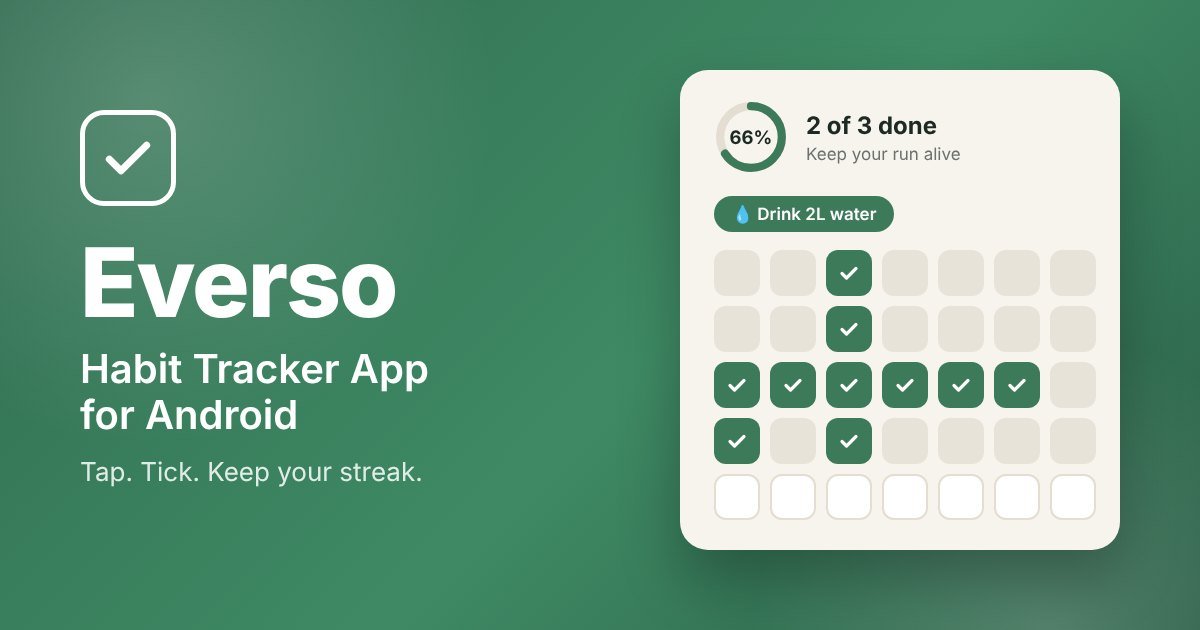
Looking for a habit tracker app that doesn’t feel like homework? Most habit apps pile on charts, points and settings until tracking the habit becomes a habit you quit. Everso – Habit Tracker takes the opposite approach: you tap a day on a calendar, it turns green, and your streak keeps growing. That’s it.
In this guide, you’ll see what Everso does, how it works, real screenshots from the app, and a list of daily habits worth tracking. If you just want the app, the download button is right below.
What Is the Everso Habit Tracker App?
Everso is a simple habit tracker app for Android, built to help you stay consistent with the small things that matter: drinking more water, walking every day, reading, sleeping on time, or any routine you want to build. Instead of complicated dashboards, every habit gets its own clean calendar. You tap a day to tick it, tap again to untick it, and watch your progress build over the month.
It’s designed for people who have tried other habit apps and gave up because they were too busy-looking. If you want a simple habit tracker that you can understand in the first ten seconds, Everso is made for you.
Full disclosure: Everso is made by the team behind 24Billions. We built it because we wanted a habit tracker that stays simple and easy to use.
Key Features of the Everso Habit Tracker App
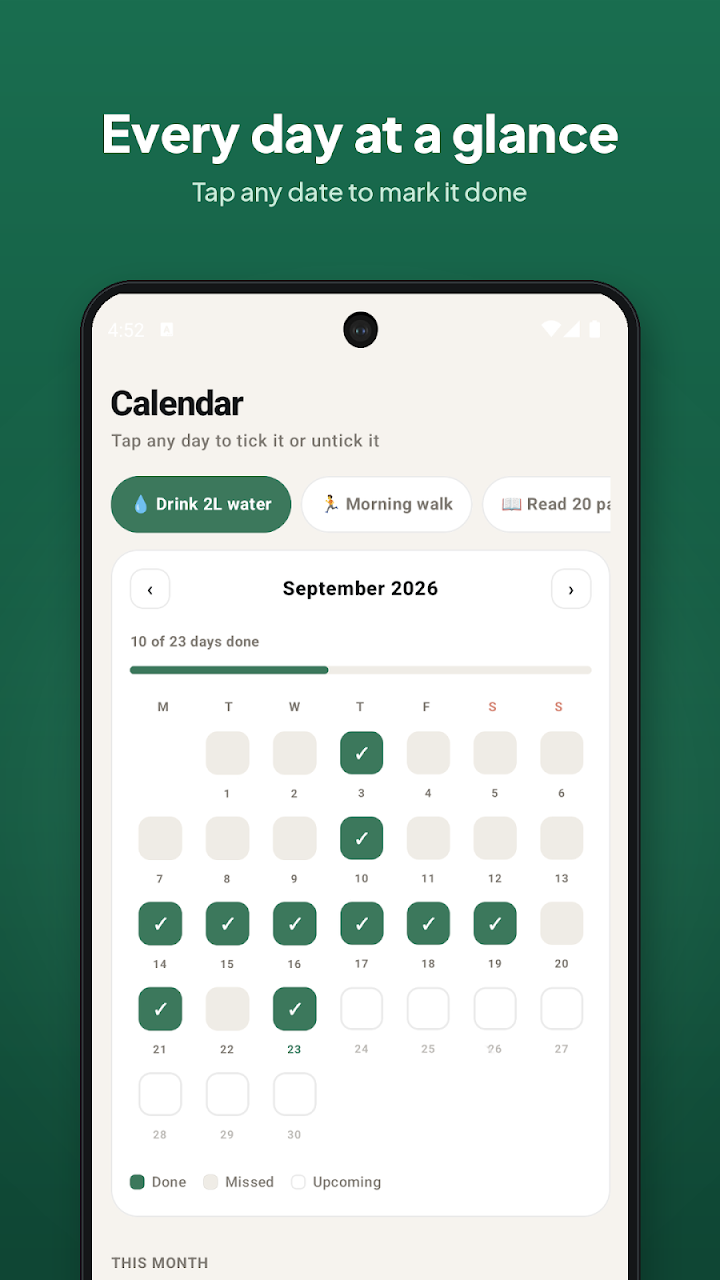
- Tap-to-tick calendar: Every habit has a monthly calendar. Tap any date to mark it done. Done, missed and upcoming days are easy to tell apart at a glance.
- Track multiple habits: Add several habits and switch between them with one tap.
- Streaks and progress ring: The home screen shows how many habits you’ve finished today, a progress ring, and the streak for each habit.
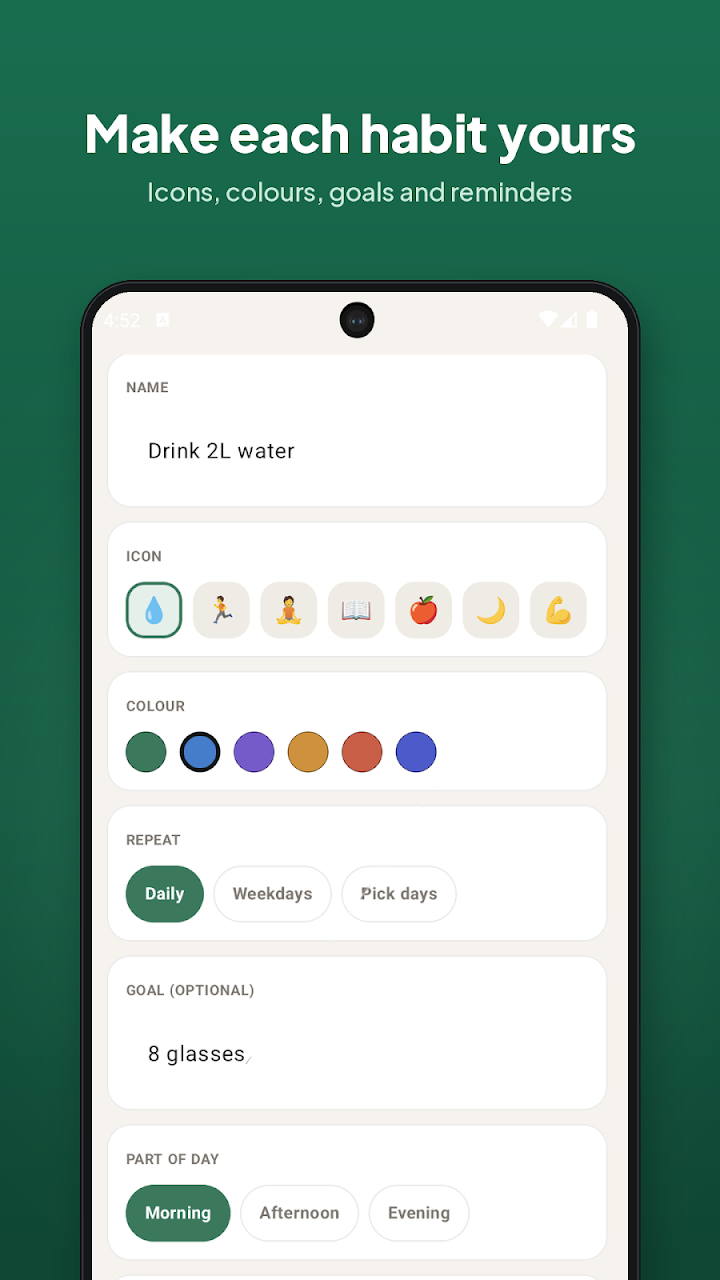
- Make each habit yours: Pick an icon and a color, add an optional goal (like “8 glasses” or “30 min”), and choose a part of the day: morning, afternoon or evening.
- Flexible schedule: Repeat a habit daily, on weekdays only, or on the days you pick.
- Daily reminders: Get a gentle nudge at the time you choose so you don’t forget.
- Light and dark look: The app follows your phone’s appearance setting, and you can choose which day your week starts on.
- Private by design: Your habit data stays on your phone. You can also copy all your habit data as text for backup.
Everso Habit Tracker App Screenshots
Here’s a look inside the app, so you know exactly what you’re getting before you install it.
1. Today Screen: Build Habits That Stick
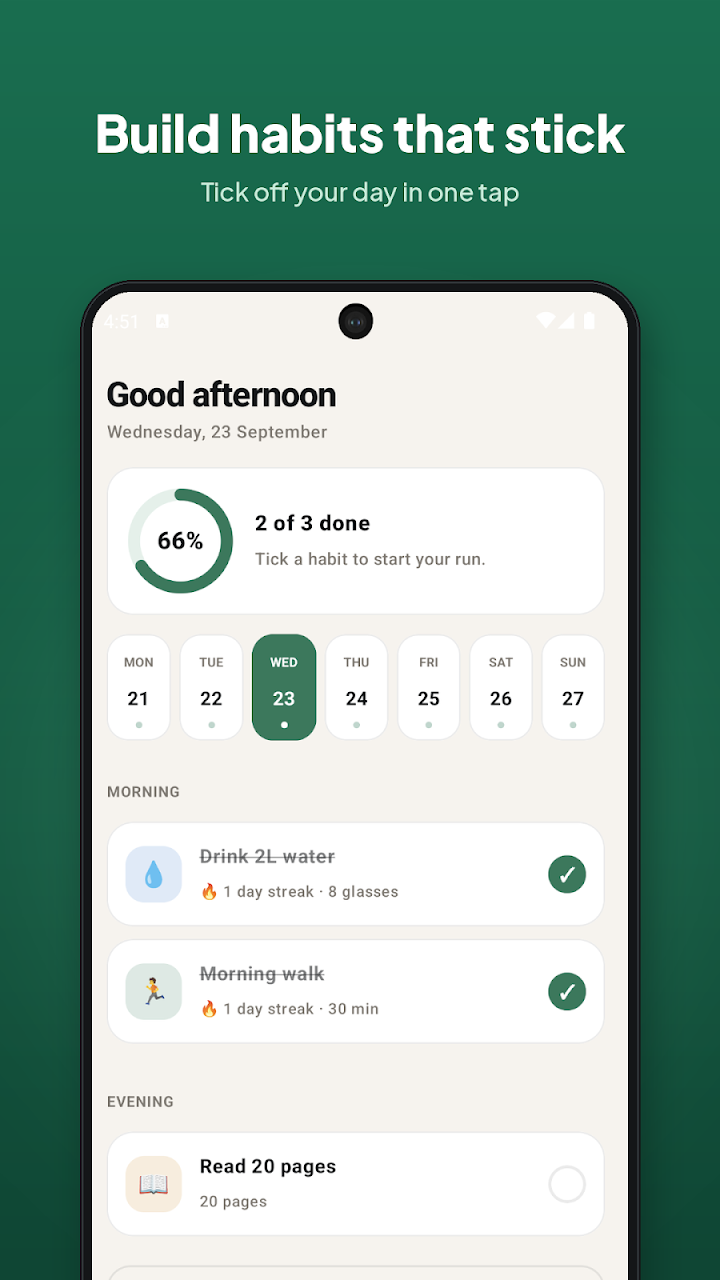
When you open Everso, you see a friendly greeting, a progress ring (for example, “2 of 3 done”), a week strip, and your habits grouped by morning and evening. Tick a habit and it’s crossed off for the day, with the streak shown right under it.
2. Calendar Screen: Every Day at a Glance
This is the heart of the app. Choose a habit at the top, and you’ll see the whole month as a grid. Green ticks are done days, so you can spot your streaks and gaps instantly. A small bar shows how many days you’ve completed this month. If you like the look of a paper habit calendar, this will feel familiar, just without the pen.
3. Add a Habit: Make Each Habit Yours
Creating a habit takes a few seconds. Type a name like “Drink 2L water”, pick an icon and color, choose how often it repeats, add a goal if you want one, and set the part of the day.
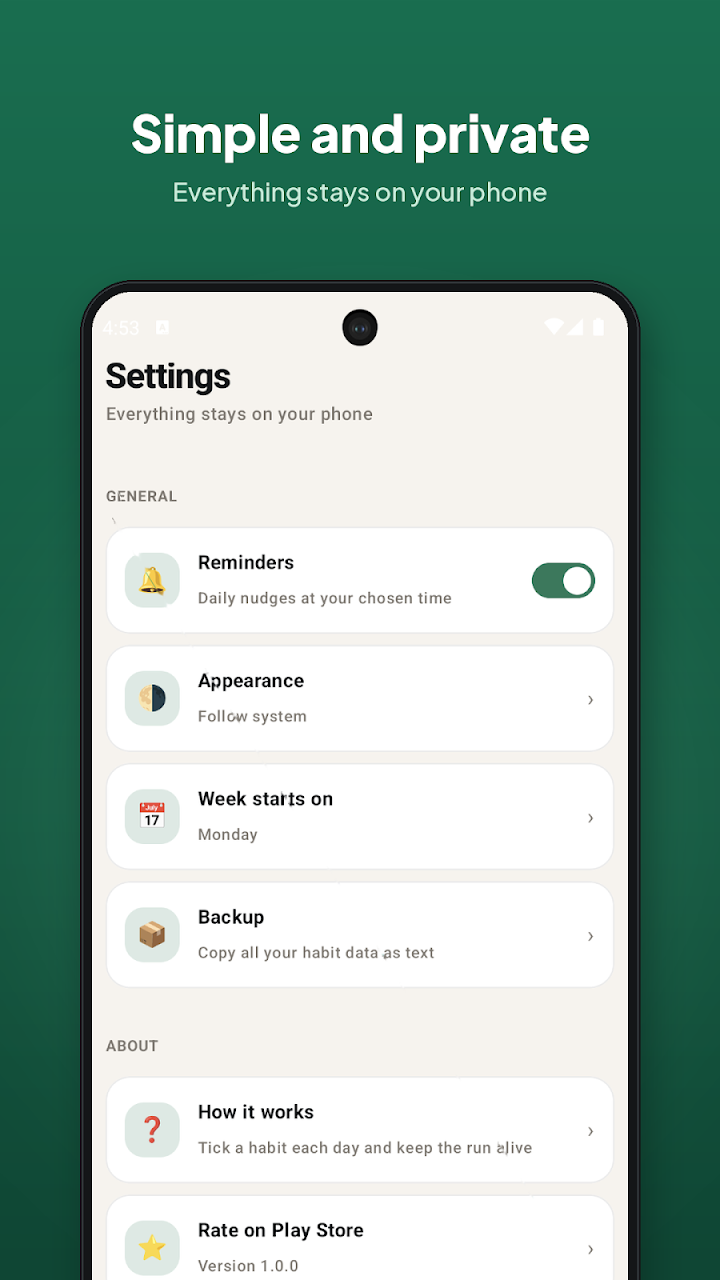
4. Settings: Simple and Private
Settings are kept short: reminders, appearance, week start day, and backup. Everything stays on your phone.
How to Use the Everso Habit Tracker App in 3 Simple Steps
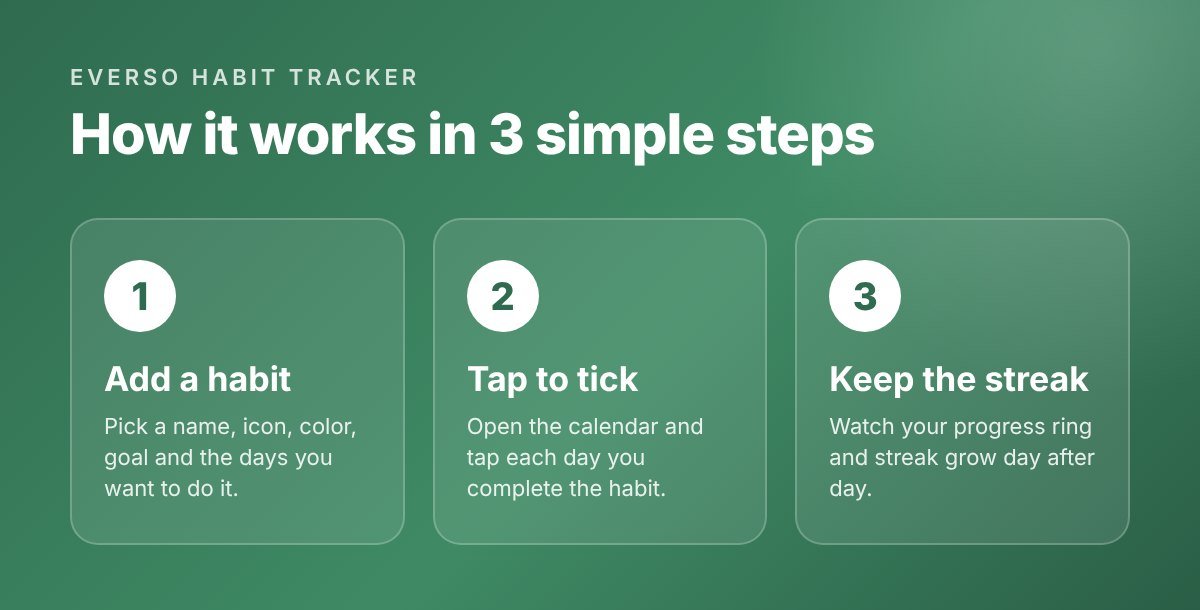
- Install and add your first habit. Download Everso from Google Play, tap to add a habit, and give it a name, icon, color and schedule.
- Tap to tick each day. Whenever you finish the habit, tick it on the today screen or tap the date on the calendar.
- Keep the streak alive. Check your progress ring and calendar. Seeing an unbroken row of green ticks is a simple but powerful reason to show up again tomorrow.
Why Use a Habit Tracker App at All?
A habit tracker works because it makes your progress visible. When you can see a chain of completed days, you naturally want to keep it going. This “don’t break the chain” idea is one of the most popular ways to build a new routine, and an app makes it easier than a paper tracker because it’s always in your pocket and can remind you at the right time.
A good app for tracking habits should do three things well:
- Make logging a habit take one tap, not five.
- Show your progress clearly, so you can see streaks and missed days.
- Stay out of your way, so the app never feels like another chore.
That’s exactly what Everso focuses on.
Prefer tracking on your computer too? Try our Habit Tracker Spreadsheet (Excel template) and use it alongside the app.
10 Daily Habits to Track
Not sure where to start? Here are some easy daily habits to track. Pick one or two first, and add more once they feel automatic.
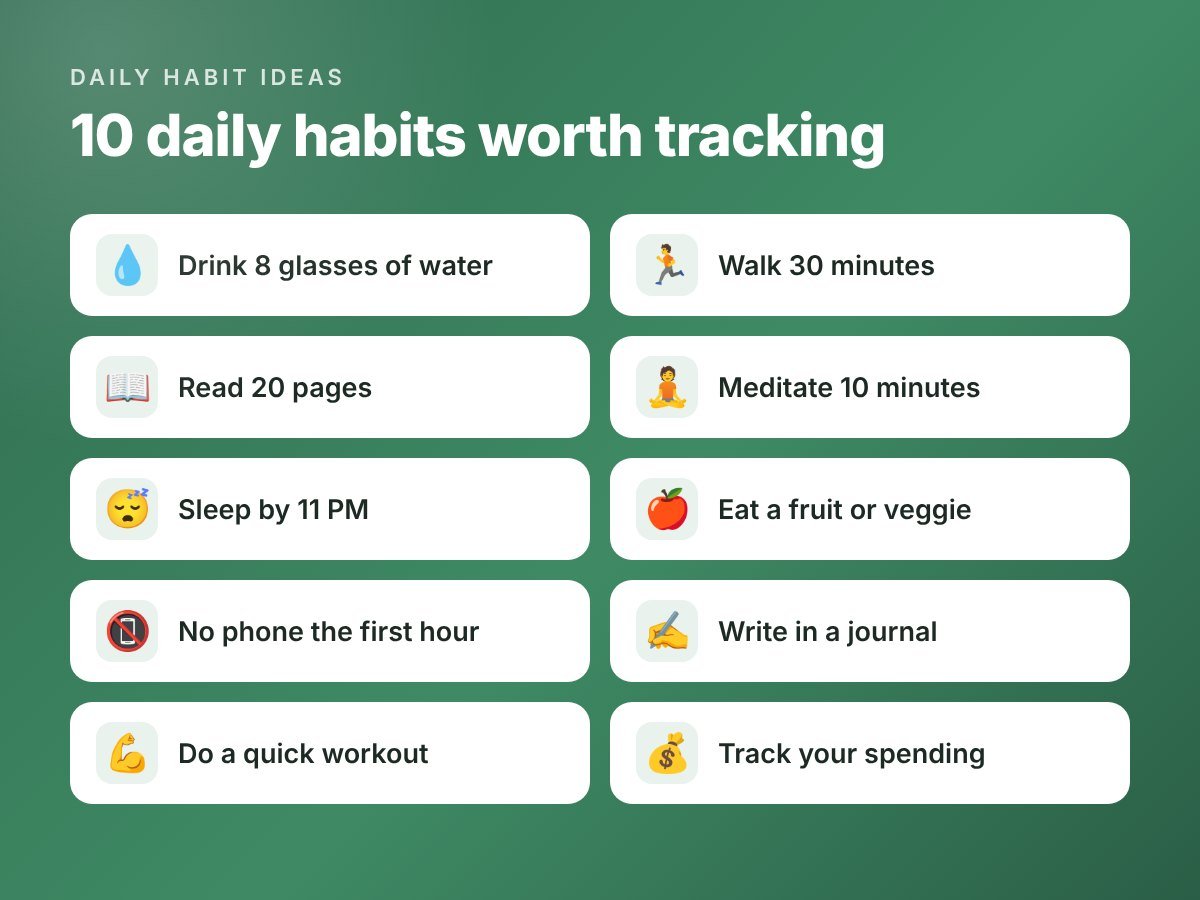
- Drink 8 glasses of water: Set the goal to “8 glasses” and tick it each day you hit it.
- Walk 30 minutes: A daily walk is one of the easiest healthy habits to keep.
- Read 20 pages: Small daily reading adds up to many books a year.
- Meditate 10 minutes: A short morning session can set the tone for your day.
- Sleep by 11 PM: Track your bedtime and protect your sleep.
- Eat a fruit or veggie: A simple nutrition habit that’s easy to measure.
- No phone the first hour: Start your morning without scrolling.
- Write in a journal: Even three lines a day helps you reflect.
- Do a quick workout: Push-ups, stretching or a short home routine.
- Track your spending: Note what you spent today to stay on budget. A monthly budget template makes this even easier.
Tips to Build Habits That Actually Stick
- Start small. “Read 5 pages” is better than “read 50 pages” if it means you’ll do it every day.
- Attach it to a time of day. Use Everso’s morning, afternoon and evening groups so each habit has a natural slot.
- Use reminders. Set a daily nudge for the time you’re most likely to do the habit.
- Don’t quit after a missed day. One gap on the calendar is normal. Just tick the next day.
- Review your month. Open the calendar at the end of each week and see which days you tend to miss.
Who Should Use This Habit Tracker App?
Everso is a great fit if you want a daily habit tracker app that is clean and quick to use. It suits students, busy professionals, parents, and anyone building a fitness, health, reading or self-care routine. If you’ve been searching for the best habit tracker app for your own needs and keep finding apps that are too complicated, give Everso a try.
Download Everso – Habit Tracker App for Android
Ready to start your first streak? Everso is available now on Google Play for Android phones.
Frequently Asked Questions
Everso is a simple habit tracker app for Android. You add your habits, tap each day you complete them on a calendar, and track your streaks and progress.
Right now, Everso is available for Android on Google Play.
Yes. You can track multiple habits at once, each with its own icon, color, schedule and calendar.
Yes. You can turn on daily reminders and choose the time you want to be nudged.
Your habit data stays on your phone. You can also copy all your habit data as text from the backup option in settings.
Start with easy, measurable habits like drinking water, walking 30 minutes, reading a few pages, or going to bed on time. Once those feel natural, add more.
The best habit tracker app is the one you will actually open every day. If you want something simple, Everso is a good pick: you tap a day on the calendar to tick a habit and watch your streak grow, without extra clutter.